No network on the phone: why the smartphone does not receive mobile signal
No network on the phone is an issue that prevents the device from receiving calls, sending messages, using mobile internet, and working properly with a SIM card. Sometimes the smartphone displays “No service”, “Emergency calls only”, “Searching for network”, or does not react to the inserted SIM at all. In some cases the reason is related to the operator or settings; in others, it may be connected with the antenna, SIM tray, modem area, board, or impact damage. If the phone does not catch mobile signal, there is no need to open the device or erase all data right away. First, it is important to understand when the issue appeared: after a fall, water contact, system update, SIM card change, travel to another region, or manual settings. This helps the technician decide what should be checked first.How mobile network issues appear
Cases can be different. One customer may see the operator name, but the connection drops during calls. Another device may show no signal bars even in central Kyiv. Sometimes mobile internet works unstably, while calls go through only near a window or outdoors. All these signs mean the device needs diagnostics.- the screen constantly shows “No service” or “No network”;
- the smartphone detects the SIM card but does not register with the operator;
- 4G/LTE mobile internet disappears;
- calls disconnect after a few seconds;
- the phone shows “Emergency calls only”;
- signal appears and disappears without a clear reason;
- the device does not detect one or both SIM cards.
What you can check yourself
Before contacting Ai-Yai-Yai, you can perform several safe checks. Restart the smartphone, turn airplane mode on and off, test the SIM card in another phone, make sure there are no operator restrictions, and check mobile network settings. If the issue appeared after travel, check operator selection and roaming options. Do not clean contacts with sharp objects, press on the SIM tray, open the body, or install questionable system files. If after basic checks the mobile network disappeared on the smartphone and nothing changed, it is better to show the device to a specialist.Why a phone may lose network
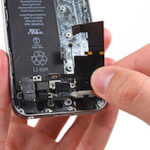
One common reason is mechanical damage after a fall. An impact may leave no visible marks on the body, but inside the device a flex cable may shift, the antenna may be damaged, or contact on the board may become unstable. After water contact, the situation can be even more complicated: oxidation may appear later, while the connection gradually becomes worse. For popular models, similar cases can be compared on specific device pages. For example, Xiaomi owners can refer to Xiaomi Mi 11 Lite. For Infinix, the Infinix Note 12 page is useful. If you use a rugged smartphone, see Doogee V11. For Apple tablets, you can check iPad 10 2022.How diagnostics works at the service center
When a customer comes with the complaint “mobile connection does not work”, the technician clarifies the model, operator, and circumstances of the issue, then checks the device step by step. First, the SIM card, slot, network settings, operator selection mode, and mobile internet are tested. Then antennas, flex cables, body elements, moisture signs, and smartphone behavior with different SIM cards are checked. If the issue is software-related, the specialist explains which settings prevent normal network registration. If the reason is hardware-related, the customer receives a clear explanation of the fault, timeframe, and cost before any work begins. This approach helps avoid unnecessary actions and choose the right way to restore mobile connection.When you should get help urgently
Do not delay service if the phone stopped detecting network after a fall, water contact, overheating, or a failed update. It is also important to contact specialists if the device shows signal only sometimes, does not receive incoming calls, loses the SIM card while moving, or becomes hot near the upper part of the body. Ai-Yai-Yai helps smartphone owners in Kyiv and across Ukraine. In Kyiv, you can choose a convenient location by district or metro station: Osokorky, Pozniaky, Kharkivska, Darnytsia, Livoberezhna, Shuliavska, KPI, Sviatoshyn, Teremky, VDNH, Holosiivska, and other areas. If you are in another city, the device can be sent via Nova Poshta.Why the issue should not be ignored
When a phone does not receive network, the owner often continues using Wi-Fi and delays service. But if the reason is connected with moisture, impact, or the board, the situation can get worse. Today only mobile connection disappears, and later charging, battery, speakers, or startup issues may appear. Timely diagnostics helps find the real reason and return stable mobile connection without unnecessary risks. The customer receives consultation, cost approval, and a clear explanation of why the device stopped detecting the network.More details