Phone fell into water: what to do immediately after liquid contact
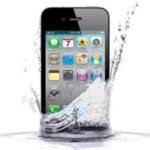
Phone fell into water is a situation where it is important to act quickly and carefully. Even if the smartphone continues to turn on, shows an image, and reacts to touch, moisture may remain inside the body. It can get under the screen, onto flex cables, connectors, microphones, speakers, camera, battery, and board. The main danger does not always appear immediately: oxidation may develop gradually and lead to new faults after several hours or days.
If the smartphone got wet and does not turn on, do not press the power button many times, connect the cable, or dry the device with hot air. These actions may worsen the condition of the board and contacts. The faster the phone is inspected, the higher the chance of preserving important elements and avoiding more complex recovery.
What not to do after water exposure
After liquid contact, many owners try to “save” the smartphone with home methods: putting it in rice, drying it with a hair dryer, placing it on a heater, or connecting it to the charger. These methods do not solve the issue inside the body. Moisture can remain under shields, chips, and screen areas, while heat can speed up corrosion or damage components.
- do not connect a wet smartphone to charging;
- do not try to turn the device on many times in a row;
- do not dry the phone with a hair dryer or on a heater;
- do not shake the body too strongly;
- do not insert the cable if there is moisture in the port;
- do not open the device without experience and tools;
- do not wait several days if the phone has already started acting unstable.
If water got inside the phone, drying the outside does not mean everything is safe inside. A smartphone may work for the first hours, but later start overheating, losing network, charging poorly, distorting sound, showing spots on the screen, or shutting down by itself.
Signs of moisture consequences
Sometimes the problem appears immediately: the smartphone does not turn on, the screen stays dark, buttons do not respond, and charging is not detected. But often the consequences appear gradually. For example, the device works normally in the morning, but by evening it starts overheating, stops detecting the SIM card, or shows lines on the display.
- the phone does not turn on after water exposure;
- spots, lines, or flickering appeared on the screen;
- sound became muffled, crackling, or disappeared;
- the microphone transmits voice with noise;
- the device does not charge or heats up on the cable;
- network disappears without a clear reason;
- the camera fogs up from the inside;
- the phone turns off or restarts by itself.
If the phone does not work after water exposure, it is important not to wait for the issue to disappear by itself. Moisture can leave residue on contacts, cause a short circuit, affect flex cables, and disturb the device power system.
What to do before contacting Ai-Yai-Yai
If the smartphone got wet, gently wipe the body with a dry cloth, remove the case, and do not connect power. If the device is still on and behaving unstably, it is better to turn it off. The SIM card and memory card can be removed if the construction allows it without force. The main thing is not to heat the body and not to leave the phone charging.
Moisture protection and construction differ by model. For example, Xiaomi 14 Pro has a complex internal layout, Infinix Smart 6 has a different flex and connector placement, rugged Doogee S41 Pro requires checking not only the body but also port covers, and iPad Pro 9.7 may retain moisture inside for a long time because of its larger body area.
How diagnostics works after water exposure
When a customer comes with the issue “phone fell into water”, the technician clarifies what liquid got inside: fresh water, seawater, coffee, tea, sweet drink, or alcohol. This matters because different liquids leave different residues and affect contacts differently. Then the device is inspected, and moisture indicators, connectors, screen, speakers, microphones, cameras, battery, and power reaction are checked.
If there are signs of moisture inside, the specialist carefully opens the device, cleans contaminated areas, and checks the board and separate elements. After that, the customer receives a clear explanation of which parts were affected, how long it may take, and what cost will be approved before work begins.
Where to get help
You should contact Ai-Yai-Yai immediately after the phone contacts water, especially if the device stopped turning on, started heating, charges poorly, loses network, distorts sound, or shows spots on the screen. The sooner the smartphone reaches a specialist, the lower the risk of deep oxidation and additional faults.
In Kyiv, you can choose a convenient location by district or metro station: Osokorky, Pozniaky, Kharkivska, Darnytsia, Livoberezhna, Shuliavska, KPI, Sviatoshyn, Teremky, VDNH, Holosiivska, and other areas. Customers from other cities in Ukraine can send the device via Nova Poshta. After inspection, the specialist explains the cause, timeframe, and service cost.
More details